
The marketing opt-in and «Añadir a marketing»
Konverda only speaks when spoken to, unless the contact accepted marketing. What the Opt-in column means, who is included in a campaign, and how to declare consent you hold outside the platform.
On this page
Having someone’s phone number is not having permission to message them. Konverda keeps those two things apart with a short rule: we only speak when spoken to, unless the contact accepted marketing.
The three states of the «Opt-in» column
In «Contactos» (contacts), the «Opt-in» column sums up each record. The ⓘ on the header says exactly this:
Marketing: accepted your sends — campaigns, waves and proactive messages. No: we can only reply when they write. Baja: asked to receive nothing — always respected.
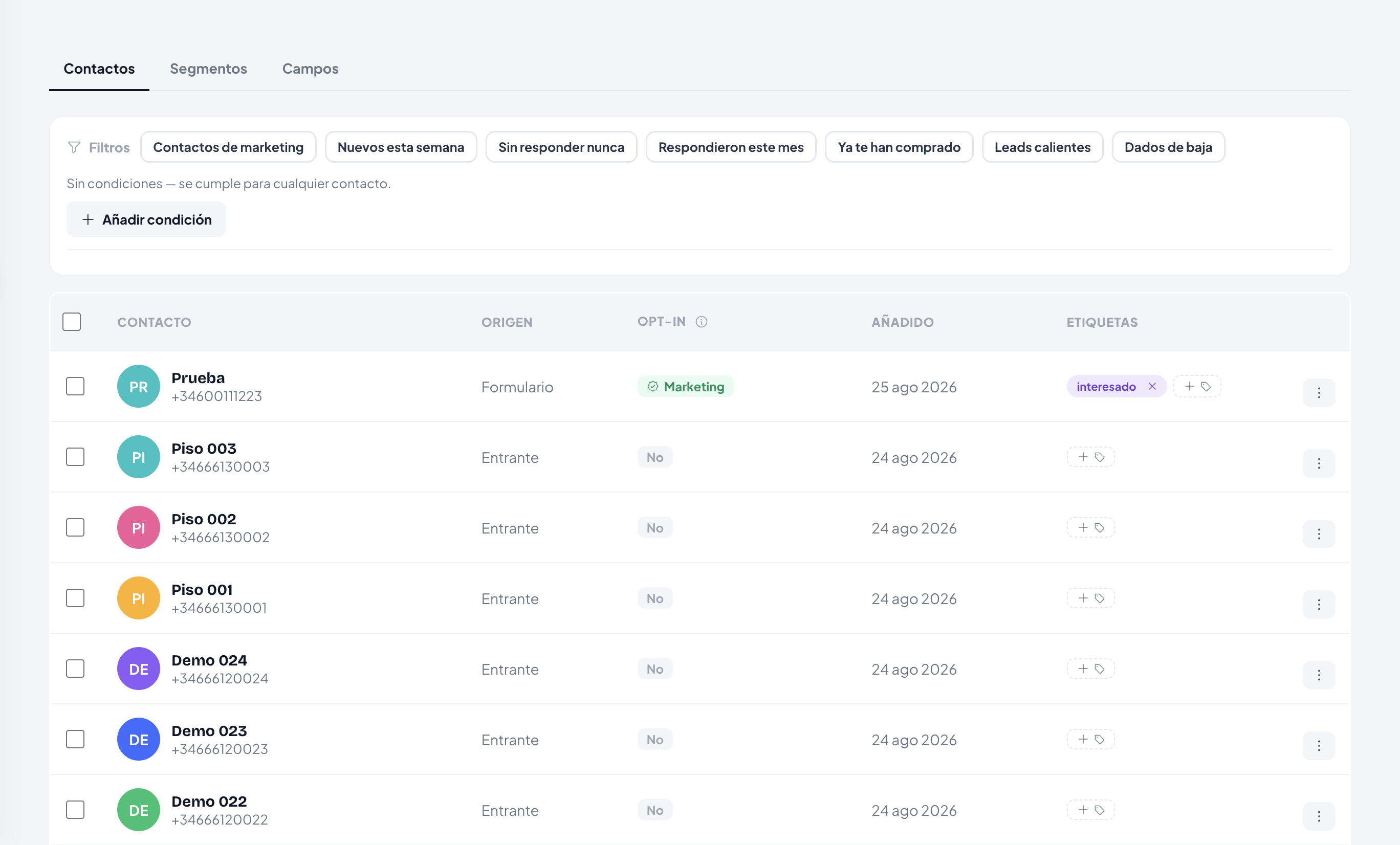
«No» is also what you see when there is no consent record at all. It is not a punishment: it is the absence of a permission.
What can and cannot go out
| State | You can reply when they write | Campaigns, waves and proactive messages |
|---|---|---|
| «Marketing» | yes | yes |
| «No» | yes | no |
| «Baja» (opt-out) | no | no |
The four ways to get the opt-in
- The consent checkbox on a Konverda hosted form.
- The order checkbox in a connected store.
- The «Consentimiento de marketing» (marketing consent) step in a flow, placed after the contact says yes.
- Your own declaration from «Contactos», if you already hold it outside the platform.
Declaring consent you already hold
If you hold consent outside Konverda — your own list, a signed form, a written yes — you can declare it. The action is called «Añadir a contactos de marketing» (add to marketing contacts) and it lives in four places:
- the three-dot menu on a «Contactos» row;
- the bulk selection bar, for several at once;
- the contact’s profile, with the «Declarar» (declare) button;
- the locked panel of a conversation whose window has closed.
Before it happens, the app shows one screen and asks you to tick a box:
You are declaring that {name} gave you their consent to receive marketing messages — outside the platform: your own list, a signed form, a written yes.
⚠ Sending marketing without real consent can damage your number and your WhatsApp account. The declaration is recorded in your name, with a date and the basis «declared by the business» — the responsibility is yours.
Why your campaign reaches fewer people than you selected
When you build a wave, the «Audiencia» (audience) step tells you the truth before you write it, not after you launch:
It will go to X of Y selected — the marketing contacts. The remaining Z have not accepted your sends (or opted out) and are left out.
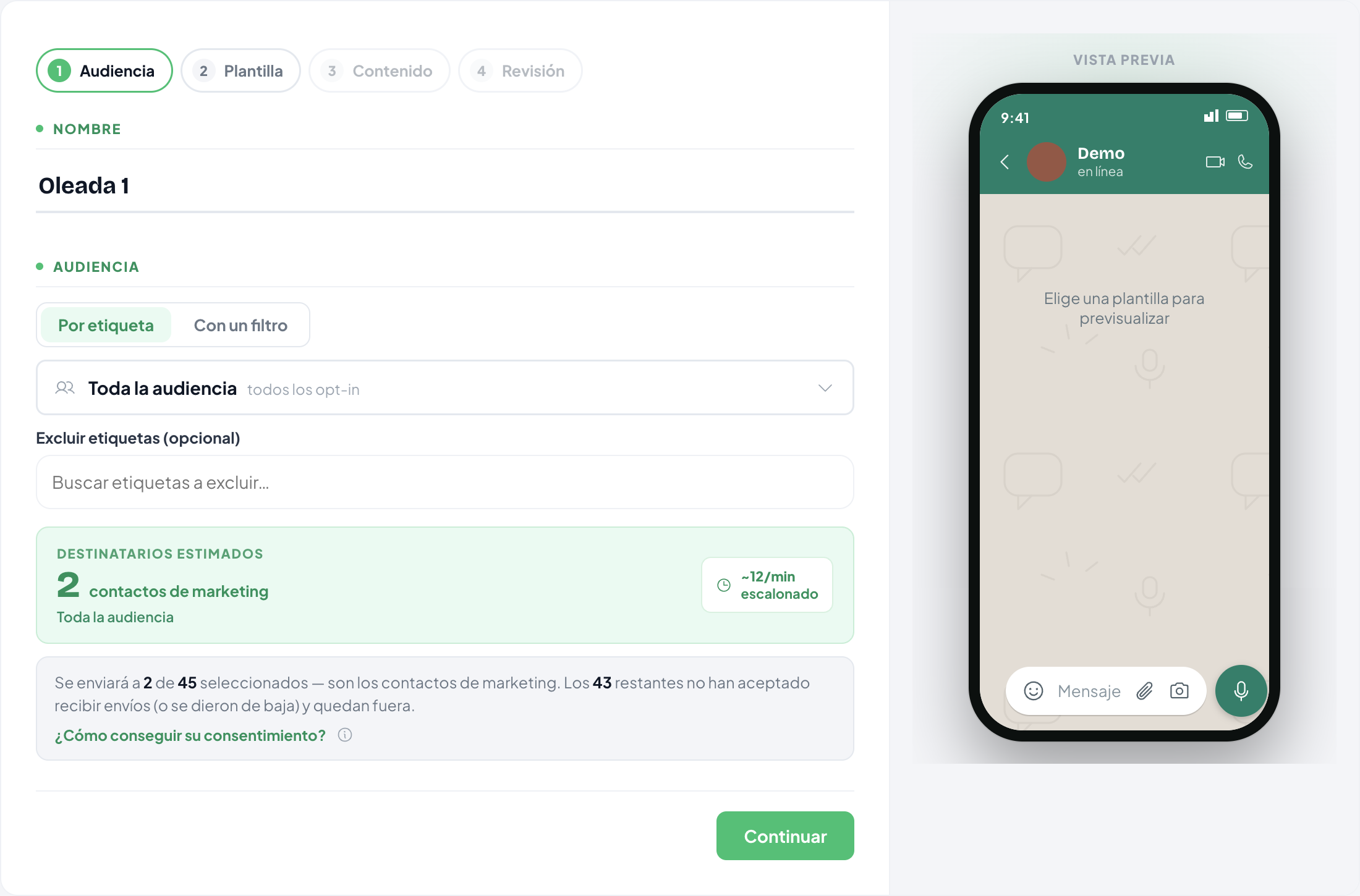
The same number is repeated in «Revisión» (review). A tag with a hundred records may hold thirty marketing contacts; thirty is the number that counts.
Filtering and branching on consent
In «Contactos», the «Opt-in» chip filters by «Marketing», «No (solo responder)» (no — replies only) or «Bajas» (opt-outs).
In flows and automations there is a «Consentimiento» (consent) condition category, with one verb — «Opt-in de marketing» (marketing opt-in) — that reads the consent recorded at that instant and branches between «es contacto de marketing» (is a marketing contact) and «no es contacto de marketing» (is not a marketing contact).
Still stuck? Contact support