
Opt-outs and what the platform remembers
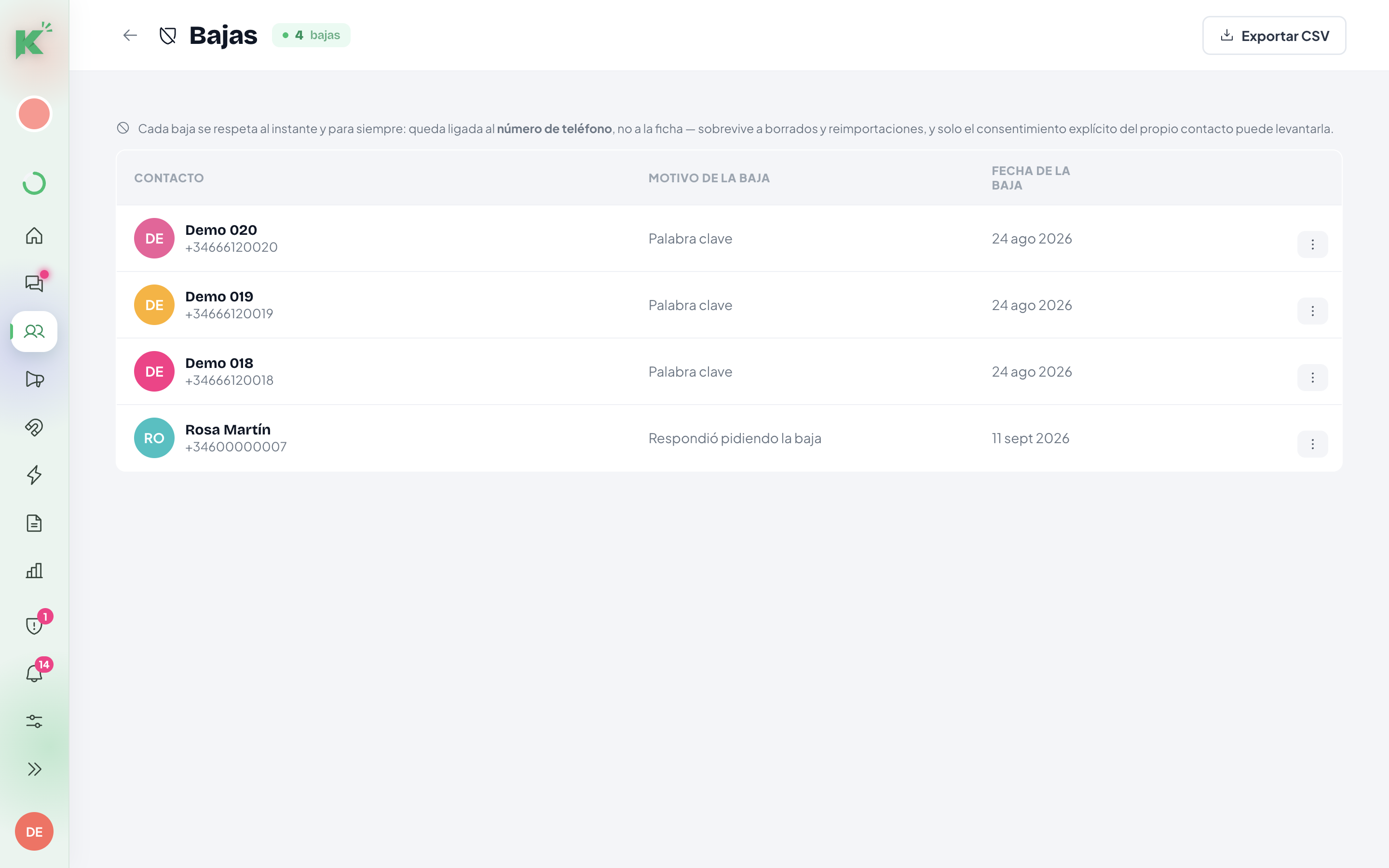
An opt-out applies instantly, is stored against the phone number, and survives deletion and re-import. Only the contact themselves can lift it.
On this page
When someone asks to stop receiving your messages, Konverda applies it instantly and remembers it forever. That memory does not live on the contact record: it lives on the phone number, which is why it survives deleting the record or importing it again.
What happens when someone writes «BAJA»
If the whole message is one of these words — baja, stop, unsubscribe, darse de baja, darme de baja — the opt-out applies the moment it arrives. Punctuation at the edges is tolerated: «BAJA!» and «Stop.» count the same.
One goodbye message follows:
Gracias por confirmarlo — no recibirás más mensajes nuestros.
When the words are less clear
Not everyone writes «BAJA». Konverda distinguishes three levels of language and treats them differently:
| What they write | What the platform does |
|---|---|
| baja · stop · unsubscribe (the whole message) | immediate opt-out + goodbye message |
| no me interesa · dejad de escribirme · quita mi número… | a two-button confirmation question, and a signal in «Centinela» |
| no · cancelar · parar · dejar | a signal in «Centinela» only — nothing else |
The confirmation question is literally this:
¿Confirmas que quieres dejar de recibir nuestros mensajes? [ Sí, darme de baja ] [ Seguir recibiendo ]
«Seguir recibiendo» (keep receiving) hands the message back to whatever flow was running, which continues where it was. Nothing is lost by having asked.
The third level’s words («no», «cancelar») carry too many meanings in an ordinary conversation to act on. So they go to human review and trigger nothing.
«Centinela»: the review queue
«Centinela» collects the signals that are not conclusive. Its header says so plainly: nothing is opted out automatically — you decide who leaves.
Each card shows the contact, the reason, the quoted message and how long it has been waiting. Two actions: «Dar de baja» (opt out) or «Descartar» (discard). Resolved ones stay in the «Resueltos» (resolved) tab with who resolved them.
When the opt-out comes from WhatsApp
WhatsApp tells us too. If Meta returns error 131050 — the user stopped marketing messages — the opt-out applies on its own, without passing through «Centinela». Other delivery errors go to «Centinela» as a signal, never as an opt-out.
What the platform remembers, exactly
The opt-out is stored as a suppression tied to the phone number, not to the record. It is the first thing checked before every send, before any other rule.
In practice:
- You delete the contact: the opt-out stands.
- You import them again tomorrow: it stands.
- Someone marks them as a marketing contact by hand: they cannot, and the app explains why.
- You merge two duplicate records and one had opted out: the survivor is opted out. The most protective option always wins.
How an opt-out is lifted
One way only: the contact themselves ticks an explicit consent checkbox — on one of your forms or on an order in your connected store. That act, and only that act, lifts the suppression, and it is recorded with its provenance.
Deleting a contact for real
Deleting a contact is the definitive GDPR erasure: their data and their whole history go —conversations, messages, notes, tags, fields and campaign and flow history— and it cannot be undone. That is why it is the delete with the most ceremony anywhere in the platform, and the ceremony grows with the number:
- One contact —in «Contactos» (contacts) → «Bajas» (opt-outs), «Eliminar del todo» (delete completely), or by selecting one in the list—: the button stays off until you type ELIMINAR.
- Several at once —a selection in «Contactos», action «Eliminar» (delete)—: you type the exact number of contacts you are deleting. «1250» and «1.250» both work; what is checked is that you read it.
If the selection changed while you were looking at it —someone merged or deleted a record in another tab—, the platform deletes nothing and asks you to look again. It never deletes a different group from the one you confirmed.
If all you want is to stop messaging someone, you do not need to delete anything: the dialog offers «Mejor dar de baja» (opt them out instead), which stops sends instantly and keeps the history.
What does stay after an erasure:
- The opt-out. If the person had opted out, it stands: it is tied to the phone number (see above), so they will not receive messages even if you import them again. The message afterwards repeats it: the contact is gone, their opt-out stands.
- Their sales, without their name.
- A receipt for the erasure, deliberately minimal: the phone’s fingerprint with the fact and date of the opt-out, and the skeleton of the consent trail. Neither the phone number nor the name.
How long data is kept
In «Ajustes» (settings) → «Datos» (data) you set the retention of technical events (webhooks, clicks, orders): between 30 and 365 days, 90 by default. It is the only automatic purge in the system.
The same screen holds the «Registro de borrados» (deletion log): the proof of every erasure — what was deleted and who asked for it — identified by fingerprint, with no phone number kept.
Still stuck? Contact support